Cloud Architecture Basics Explained: A Complete Guide for 2024
Ever wonder how global streaming platforms deliver video to millions without a hitch? Or how your go-to enterprise apps seem to scale their computing power overnight? The secret behind this massive capability is a well-designed cloud foundation.
Whether you’re an IT beginner or a seasoned pro making the leap from traditional on-premise servers, modern cloud terminology can easily feel like alphabet soup. It’s incredibly common to get lost in the endless sea of acronyms and overly complex architecture diagrams.
If you’re struggling to wrap your head around virtual machines, containers, and scalable environments, you’ve landed in the right spot. In this comprehensive guide, we’re getting cloud architecture basics explained in plain English. We’ll break down exactly how modern systems are built, why they actually matter, and how you can start implementing them successfully.
Why You Need Cloud Architecture Basics Explained
Before we dive into the nuts and bolts of the technology, it helps to understand exactly why modern businesses are walking away from physical servers. The transition from traditional, bare-metal data centers to the cloud has triggered a massive paradigm shift across enterprise IT.
Instead of purchasing, racking, and maintaining physical hardware, companies simply rent virtualized resources on demand. While this approach is incredibly powerful, that abstract layer of virtualized networking and compute power is usually what trips people up at first.
When you migrate a workload to a distributed cloud environment, you have to manage ephemeral storage, complex networking protocols, and broader distributed systems. Without a firm grasp on cloud computing fundamentals, your deployments will inevitably run into trouble.
A foundation that isn’t structured correctly from day one will eventually lead to severe performance bottlenecks. Even worse, it can expose your business to dangerous security vulnerabilities and unpredictable monthly billing costs. That’s exactly why getting these core concepts locked down is so critical for your tech career.
Public vs Private Cloud
Getting a handle on your deployment environment is the crucial first step. Typically, you’ll need to choose between a public vs private cloud setup. In a public cloud (think AWS, Google Cloud, or Azure), the underlying physical hardware is shared among thousands of different customers.
On the flip side, a private cloud offers infrastructure that is completely dedicated to a single organization. Keep in mind that many large enterprises prefer a hybrid cloud model—meaning they keep highly sensitive data on-premise while tapping into public clouds for their raw processing power.
Basic Components of Cloud Architecture Explained
When getting cloud architecture basics explained, you first need to master the core building blocks. These are the actionable, foundational pieces you’ll rely on when designing a resilient cloud infrastructure design.
1. Compute Resources
Think of compute as the active brain behind your cloud environment. This is the exact place where your applications execute their code, process incoming user requests, and crunch data.
Compute covers everything from standard virtual machines (like AWS EC2 instances) to modern, containerized environments. Anytime you need processing power to host a web server or run a backend application, you’re leaning heavily on compute resources.
2. Cloud Storage
Storage is where your application’s data lives on a persistent basis. Unlike the standard hard drive sitting inside your laptop, basic cloud architecture components typically divide storage into three distinct categories.
- Block Storage: Acts much like a traditional hard drive directly attached to your virtual machines.
- File Storage: A centralized file system designed so that multiple servers can read and write to it simultaneously.
- Object Storage: Highly scalable storage (such as Amazon S3) built specifically to handle unstructured data like images, videos, and massive backups.
3. Cloud Networking
Networking serves as the vital nervous system that connects your entire infrastructure. It sets the rules for how data securely travels between the public internet and your private servers.
Essential networking tools range from Virtual Private Clouds (VPCs) and subnets to routing tables and load balancers. Keep in mind that a misconfigured network can easily take your application offline—or worse, expose sensitive internal data to the outside world.
4. Managed Databases
Databases are responsible for securely storing both structured and semi-structured information. Fortunately, modern cloud providers offer fully managed databases, which means you no longer have to worry about maintaining the underlying servers.
Whether you opt for a traditional relational SQL database or a more flexible NoSQL alternative, managed databases give you rapid data retrieval, automated daily backups, and built-in high availability.
Advanced Solutions and Concepts
Once you’ve got a firm grip on the basic components, it’s time to view your infrastructure through an advanced IT and developer lens. These technical concepts are ultimately what separate amateur deployments from true enterprise-grade software.
Infrastructure as Code (IaC)
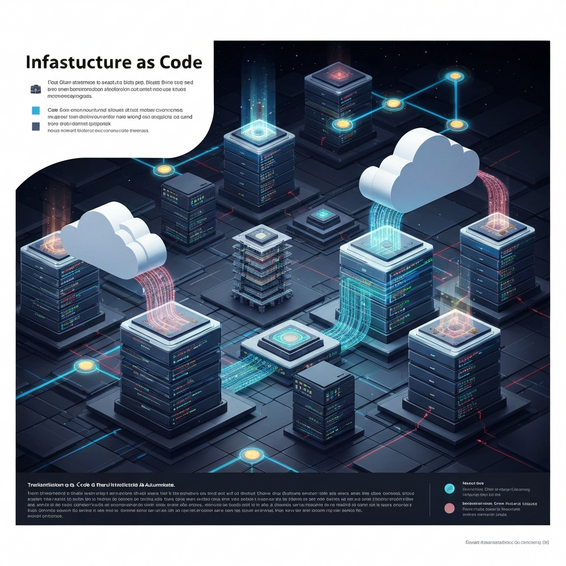
Modern IT professionals rarely click through web consoles to manually build their networks anymore. By using tools like Terraform or Ansible, infrastructure is now written in code, carefully version-controlled in Git, and deployed automatically.
Embracing this DevOps approach guarantees that your environments are completely reproducible. If disaster strikes, you have the ability to spin up an exact replica of your infrastructure in mere minutes.
Serverless Computing
When you adopt serverless computing (think AWS Lambda), you can completely stop managing virtual machines. Instead, you simply write your application’s code and upload it.
From there, the cloud provider automatically provisions the exact amount of resources required to execute that specific function. Better yet, you are billed strictly for the exact milliseconds your code runs, which can dramatically reduce your overall costs.
Microservices Architecture
Rather than building one massive, fragile application, developers today prefer to break software down into smaller, independent microservices. These individual services seamlessly communicate with one another using APIs.
This modular approach allows engineering teams to roll out updates to a single feature without risking downtime for the entire platform. For example, if the billing service unexpectedly crashes, the core video streaming service can keep operating normally.
Best Practices for Cloud Optimization
Successfully deploying your infrastructure is really only half the battle. Maintaining long-term security and operational efficiency requires a strict adherence to proven industry best practices.
- Implement the Principle of Least Privilege: Security needs to be your number one priority. Always ensure that users, roles, and applications hold only the precise permissions they absolutely need to function.
- Optimize for Cost Reduction: Cloud waste is a massive, often silent business expense. Set up strict billing alerts, properly tag your resources for accurate cost tracking, and configure automatic shutdowns for non-production environments over the weekend.
- Design for Unavoidable Failure: Always assume that hardware will crash at some point. By building multi-Availability Zone (Multi-AZ) deployments, your application can seamlessly fail over if a specific physical data center happens to go offline.
- Monitor and Log Everything: Centralized logging and real-time monitoring are non-negotiable. If you lack visibility into what is happening inside your network, you won’t be able to fix problems when things inevitably go sideways.
Recommended Tools and Resources
Building highly scalable systems is significantly easier when you leverage the right software. Here are a few top-tier tools that belong in any cloud architect’s toolkit:
- Terraform (HashiCorp): Widely considered the undisputed industry standard for writing declarative Infrastructure as Code.
- Docker and Kubernetes: These two are absolutely essential for building, managing, and effectively orchestrating containerized applications at a massive scale.
- AWS Free Tier / Google Cloud Free Program: The single best way to learn architecture is simply by doing it. Sign up for these free resource tiers and start experimenting on your own.
- Datadog: A highly powerful monitoring, logging, and security analytics platform built for modern IT operations teams.
Frequently Asked Questions (FAQ)
What is the difference between IaaS, PaaS, and SaaS?
Infrastructure as a Service (IaaS) delivers the raw computing hardware, like basic virtual machines. Platform as a Service (PaaS) goes a step further by providing a managed framework, allowing developers to build apps without stressing over underlying OS updates. Finally, Software as a Service (SaaS) delivers fully functional, ready-to-use software directly to users over the web.
Which cloud provider is best for a beginner to learn?
Amazon Web Services (AWS) stands as the global market leader and boasts the most extensive documentation and community support available. That said, Google Cloud Platform (GCP) gets frequent praise for having an incredibly intuitive user interface. Microsoft Azure is a fantastic choice if you’re already deeply integrated into a Windows or Microsoft enterprise environment.
Is cloud architecture inherently secure?
Yes, but it’s important to understand that security operates on a shared responsibility model. The provider takes care of physically securing their data centers and foundational hardware networks. However, you are entirely responsible for securing your own application code, properly configuring your firewalls, and effectively managing user access.
Conclusion: Cloud Architecture Basics Explained
Transitioning into the world of modern IT doesn’t have to feel overwhelming. By having these cloud architecture basics explained, you’re now fully equipped to jump into complex conversations about digital infrastructure with confidence.
Start your journey by mastering the fundamental compute, storage, and networking components. Once you feel comfortable with those pillars, push your skills further by exploring advanced deployments like Infrastructure as Code and serverless environments.
At the end of the day, the most effective way to solidify your understanding is through hands-on practice. Create a free account with one of the major providers today, spin up a simple virtual machine, and take your very first confident step into the world of cloud computing.
About the Author