Best Hardware for Homelab Server 2026: The Ultimate Setup Guide
Gone are the days when building a home server meant tossing leftover PC parts into a dusty old case. Today’s self-hosted tools, AI workloads, and virtualization platforms demand real power. That’s why choosing the best hardware for homelab server 2026 is absolutely essential if you want a fast, reliable, and energy-efficient setup. Anyone who has suffered through sluggish containers, maxed-out memory, or shocking electricity bills knows firsthand just how painful running the wrong equipment can be.
Throughout this guide, we’ll break down exactly what it takes to construct the ultimate homelab this year. It doesn’t matter if you’re just hosting a simple Plex media server, deploying intense DevOps CI/CD pipelines, or testing enterprise-grade Kubernetes clusters in your living room—picking the right components will save you endless time, money, and operational headaches down the road. We’ll dive into the most common pitfalls, beginner-friendly hardware fixes, advanced architectural designs, and the essential best practices you need to build a beautifully optimized environment.
Why Hardware Bottlenecks Happen in Homelabs
It’s incredibly common for beginners to hit a wall of severe performance issues right after launching their first self-hosted environment. More often than not, this happens because standard consumer-grade desktop hardware simply wasn’t built to juggle continuous, 24/7 concurrent workloads. Sure, a high-end gaming PC can easily crush a demanding application running in the foreground, but it usually falls flat on its face when forced to manage multiple isolated virtual systems all running at the exact same time.
From a technical standpoint, this performance drop usually boils down to three primary hardware bottlenecks:
- I/O Starvation: Trying to run several virtual machines (VMs) on a single mechanical hard drive—or even a budget consumer SATA SSD—inevitably creates massive read/write latency. The moment multiple VMs try to write data simultaneously, the drive controller gets completely overwhelmed, which can temporarily freeze your entire system.
- CPU Thread Exhaustion: This is why finding the best CPU for home server deployments is so critical. Hypervisors need plenty of physical cores and logical threads to process background tasks efficiently. If you try to run a dozen Docker containers, a couple of databases, and some heavy VMs on a basic 4-core desktop processor, it will choke almost instantly.
- Memory Limits: Unlike casual desktop browsing, servers have to dynamically carve out and allocate RAM to various isolated environments. Without enough raw DDR4/DDR5 capacity—or without ECC (Error-Correction Code) memory for stability—your hypervisor is forced to rely on heavy disk swapping. This completely tanks your system’s overall speed and opens the door to potential data corruption.
Wrapping your head around these structural constraints is the crucial first step. Once you understand the limits, you can confidently select the proper gear and pinpoint the absolute best hardware for homelab server 2026.
Quick Fixes & Basic Solutions for Beginners
If you are looking to upgrade your home server without emptying your bank account, there are plenty of quick, highly effective hardware tweaks you can deploy right away. Taking an iterative approach to your upgrades is the smartest way to ensure you don’t overspend on hardware you don’t actually need yet.
Here are a few of the most actionable steps you can take to build a rock-solid foundational lab:
- Use Mini PCs (1L Form Factor): Don’t underestimate tiny devices like the Lenovo ThinkCentre Tiny, the Dell OptiPlex Micro, or classic Intel NUCs. They are exceptionally power-efficient and make the perfect foundation for a low power homelab 2026 setup. Believe it or not, a modern mini PC packing an Intel N100 or a Ryzen 7 series chip can easily juggle dozens of self-hosted tools and Docker containers while pulling less than 15 watts from the wall.
- Upgrade to NVMe Storage First: Whenever your current server starts feeling unbearably sluggish, the fastest remedy is migrating your operating system and VM storage pools straight to an NVMe M.2 SSD. The dramatic leap in IOPS (Input/Output Operations Per Second) will almost instantly cure any lingering virtualization lag.
- Max Out the RAM Capacity: Before you pull out your wallet to buy a faster processor, check to see if you can maximize your motherboard’s memory capacity instead. Upgrading a basic system from a modest 16GB to a spacious 64GB of DDR4 or DDR5 memory lets you comfortably run several operating systems at once without ever having to lean on slow swap memory.
- Deploy a Dedicated NAS Setup: It is usually a bad idea to mix your primary hypervisor’s fast storage with your sprawling bulk media collection. Setting up a dedicated NAS (Network Attached Storage) solution using affordable SATA hard drives frees up valuable compute resources on your main node while keeping your massive data pools perfectly organized.
Advanced Solutions for Enterprise-Grade Homelabs
Of course, for seasoned DevOps engineers, IT professionals, and hardcore tech enthusiasts, basic consumer hardware is never going to cut it. If you want to genuinely future-proof your home network, practice complex DevOps workflows, and manage heavy enterprise workloads, you have to start looking toward enterprise-grade infrastructure.
From an advanced IT perspective, here is exactly how you piece together a top-tier lab:
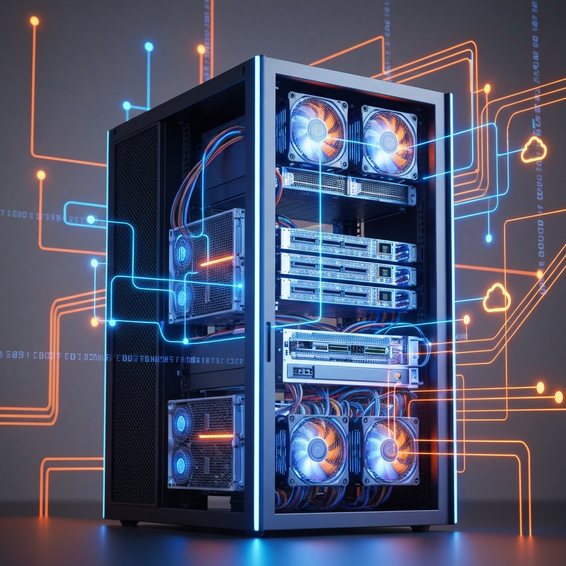
- Used Enterprise Rack Servers: Workhorses like the Dell PowerEdge R730/R740 or the HP ProLiant DL380 Gen10 are absolutely brilliant for hands-on enterprise learning. If you’re currently debating the merits of a mini PC vs enterprise rack servers, remember that racks offer incredible perks like dual-socket Intel Xeon processors and support for hundreds of gigabytes of ECC RAM—often at remarkably affordable second-hand prices.
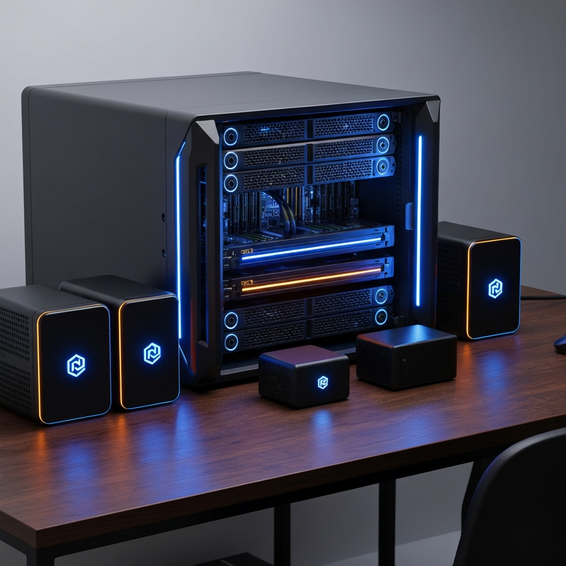
- Micro-Server High Availability Clusters: Alternatively, you can build a Proxmox virtualization cluster utilizing three robust micro-nodes, such as the Minisforum MS-01 or Intel NUC 13 Pros. Going this route allows you to safely experiment with advanced, high-level concepts like High Availability (HA) clustering, Ceph distributed storage, and seamless live VM migrations without experiencing any real-world downtime.
- 10GbE Networking Architecture: A high-end homelab will eventually find itself terribly bottlenecked by a standard 1Gbps network connection. Upgrading your backbone to a 10GbE network switch and installing Mellanox ConnectX-3 PCIe network cards guarantees the lightning-fast data transfers you’ll need for massive storage pools and rapid nightly backup jobs.
- AI Hardware Acceleration: Running local LLMs (Large Language Models) or generative machine learning workloads? Integrating a moderately powered GPU—like a used NVIDIA Tesla P4 or a consumer RTX 3060 12GB—is an excellent advanced fix to keep your CPU from maxing out. Having a dedicated GPU enables highly efficient hardware pass-through directly to your most demanding VMs.
Best Practices for Homelab Optimization
Even after you’ve successfully tracked down the best hardware for homelab server 2026, your journey isn’t quite over. Proper setup and software configuration are the only ways to guarantee you won’t be battling ongoing performance or security issues. Raw hardware power simply isn’t enough; the specific way you deploy those components directly dictates their long-term longevity.
Keep these vital optimization tips in mind as you build:
- Prioritize Power Efficiency: It’s no secret that aging enterprise gear consumes massive amounts of electricity. If keeping your monthly power bill low is a primary concern, you should definitely opt for newer, more efficient architectures—like Intel’s 12th or 13th Gen lineup (especially the highly popular Intel Core i5-13500)—rather than relying on power-hungry, decade-old Xeon processors.
- Implement a 3-2-1 Backup Strategy: You should never put all your faith in a single hard drive or an isolated node. Leverage specialized tools like Proxmox Backup Server (PBS) to locally back up your intricate hypervisor configurations and critical VMs, and always push a secondary, encrypted backup to a secure offsite cloud provider.
- Focus on Thermal Management: Whether you are running a cluster of small form factor PCs or a heavy-duty rack server, both setups generate serious heat when placed under a heavy load. You must ensure there is ample airflow passing through your server rack or closet, maintaining lower ambient temperatures to prevent sudden thermal throttling.
- Secure Your Network Topology: For the sake of security, segment your homelab onto a completely separate VLAN (Virtual Local Area Network), keeping it isolated from your family’s personal home devices. This strict separation prevents lateral network movement in the unfortunate event that one of your public-facing, self-hosted web applications gets compromised by an external threat.
Recommended Tools & Resources
Piecing together the ultimate physical setup is only half the battle. If you truly want to leverage those incredibly powerful new components, you’re going to need the right software stack to match. Here are a few absolute must-have resources to round out your ultimate home server:
- Proxmox Virtual Environment (VE): A highly respected, open-source, and enterprise-grade hypervisor that feels right at home on virtually any modern home server.
- TrueNAS Core / Scale: Widely considered the leading open-source NAS software on the market, it utilizes the famously robust ZFS file system to relentlessly protect your stored data.
- Ubiquiti UniFi or TP-Link Omada Networking Gear: Both of these ecosystems offer fantastic, entry-level enterprise networking solutions that make managing your switches, access points, and routing a breeze.
- Docker & Portainer: These are absolutely essential containerization tools for rapidly deploying and visually managing lightweight self-hosted applications without the overhead of spinning up full, resource-heavy virtual machines.
FAQ Section
What is the best hardware for homelab server 2026 if I am on a strict budget?
If cash is tight, a used enterprise mini PC—such as the Dell OptiPlex Micro, HP ProDesk Mini, or the Lenovo ThinkCentre Tiny M720q—is absolutely ideal. These tiny machines draw under 15W of power while idling, yet they can still chew through multiple Linux VMs and a handful of Docker containers with surprising ease. They remain exceptionally budget-friendly on the second-hand market.
How much RAM do I actually need for a home server?
That largely depends on your use case. If you’re only planning to run lightweight Docker containers—think Home Assistant, Pi-hole, or a basic Plex instance—then 16GB of RAM is more than sufficient. On the flip side, if your goal is to virtualize multiple heavy operating systems via Proxmox or spin up a local Kubernetes cluster, you should really be aiming for a bare minimum of 64GB.
Should I buy a used rack server or a new consumer desktop for my lab?
This decision strictly depends on your personal IT learning goals. Used rack servers are vastly superior if you specifically want to learn about enterprise hardware management, out-of-band IPMI, and server-grade networking. Conversely, a modern desktop featuring something like an Intel i5-13500 processor will be radically more power-efficient, whisper-quiet, and will often deliver much better overall performance per watt.
Is ECC memory strictly necessary for a homelab?
If you’re dealing with bulk data storage utilizing the ZFS file system (common in TrueNAS deployments), ECC memory is highly recommended to ward off bit-rot and silent data corruption over time. With that said, it isn’t strictly required for a basic, everyday compute homelab. Ultimately, if top-tier data integrity is absolutely critical to your specific workloads, you should definitely invest in ECC support.
Conclusion
At the end of the day, tracking down the best hardware for homelab server 2026 ultimately boils down to balancing raw compute performance against your long-term power consumption and personal technical goals. Whether you’re carefully designing an ultra-efficient cluster of mini PCs to slash your electricity bills or firing up a massive used enterprise rack server to master complex DevOps pipelines, getting that initial hardware foundation right is crucial to your success.
You can start improving your setup right now by aggressively maximizing your system’s RAM, moving your core virtual machines over to lightning-fast NVMe storage, and keeping a close eye on your software workloads. Take a few actionable steps today: critically assess your current infrastructure bottlenecks, figure out where you’re struggling, and upgrade the exact components that will make the biggest impact. By investing smartly in the right hardware today, your home server will be more than ready to handle whatever the next few years of IT innovation throws at it.
About the Author